部分用户无法访问Windows 2012服务器
【问题描述】
===========================
部分用户无法访问Windows 2012域控服务器
【解决方法】
===========================
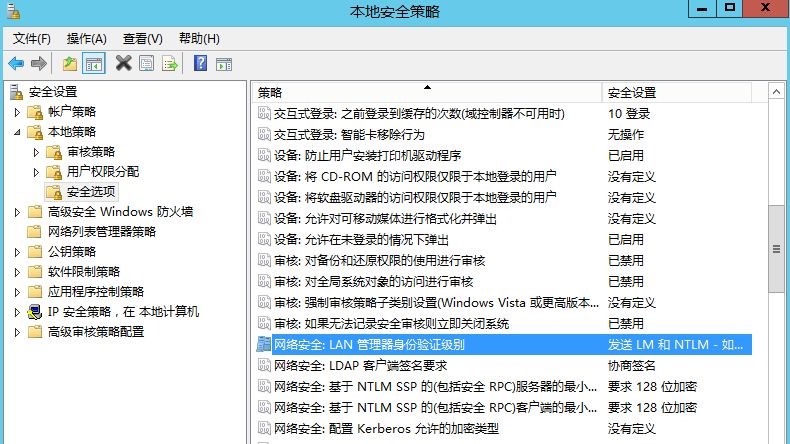
- 在Windows 2012服务器打开本地安全策略管理器,检查以下配置
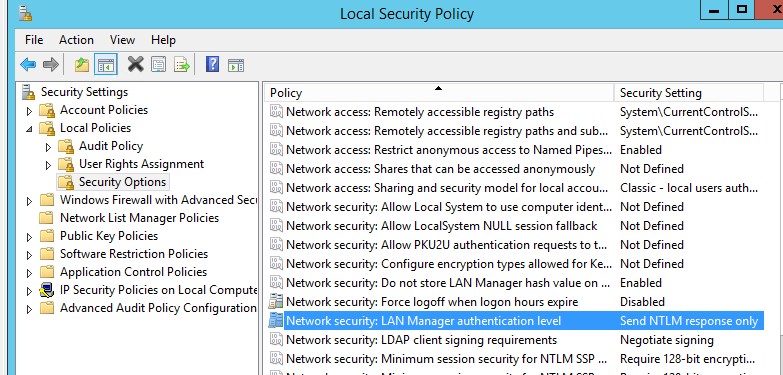
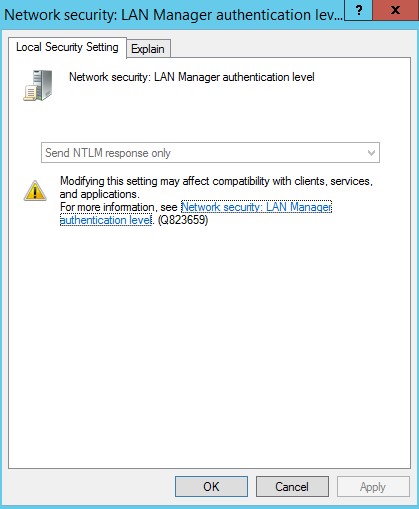
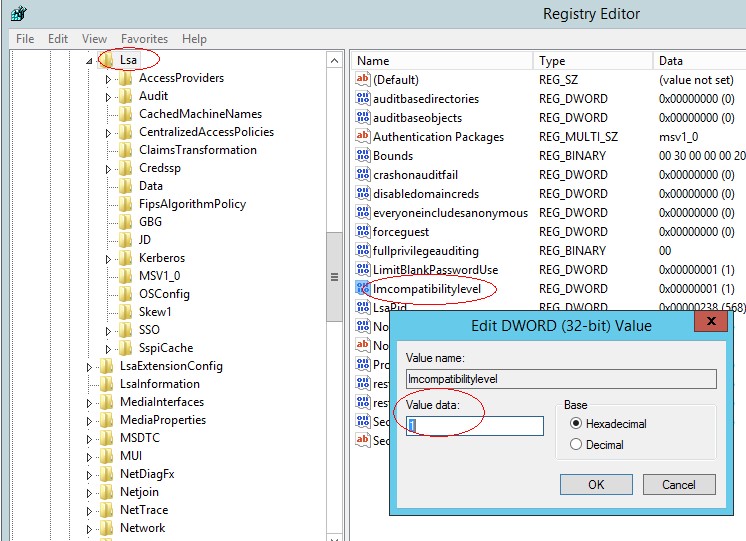
- 打开注册表管理器找到以下键值,并修改为1:
HKLM\SYSTEM\CurrentControlSet\Control\Lsa
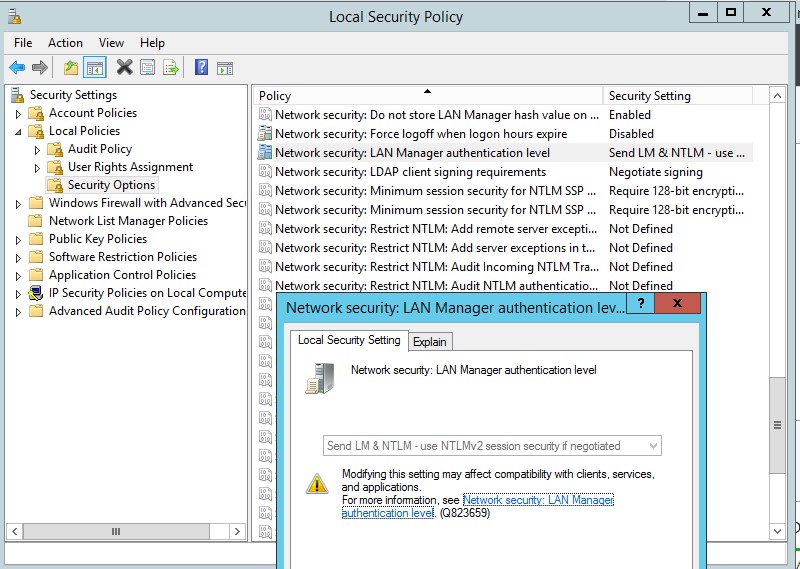
- 再一次打开本地安全策略管理器,检查是否修改生效
【参考资料】
http://blog.5dmail.net/user1/1/201368205226.html
http://technet.microsoft.com/zh-cn/library/cc960646.aspx
http://hi.baidu.com/huqing7002/item/4a910dc2422f89350931c6ef
http://blog.darkthread.net/post-2010-09-09-lmcompatibilitylevel.aspx
历史评论
暂无保留的历史评论。
评论为旧站历史记录,本站不再接受新评论。