Adprep Windows Managment Instrumentation (WMI)错误
===========================
Windows 2012 R2加入到Windows 2003 域后,在将这台机提升为域控时无法完成Adprep报错:
[2013/12/14:15:30:37.040]
Adprep successfully determined whether Microsoft Windows Services for UNIX (SFU) is installed or not. If adprep detected SFU, adprep also verified that Microsoft hotfix Q293783 for SFU has been applied.
[2013/12/14:15:30:37.046]
Adprep could not retrieve data from the server asiabmp.bmp-asia.com through Windows Managment Instrumentation (WMI).
[User Action]
Check the log file ADPrep.log in the C:\Windows\debug\adprep\logs\20131214153036-test directory for possible cause of failure.
[2013/12/14:15:30:37.046]
Adprep encountered a Win32 error.
Error code: 0x5 Error message: Access is denied.
【解决方法】
===========================
0. 首先使用Windows Management Instrumentation测试是否正确连接
- 在域控本机,和将要升级为域近的机器,运行依次单击“开始”、“运行”,然后键入 wbemtest.exe
- 选择连接,输入选程主机的名字
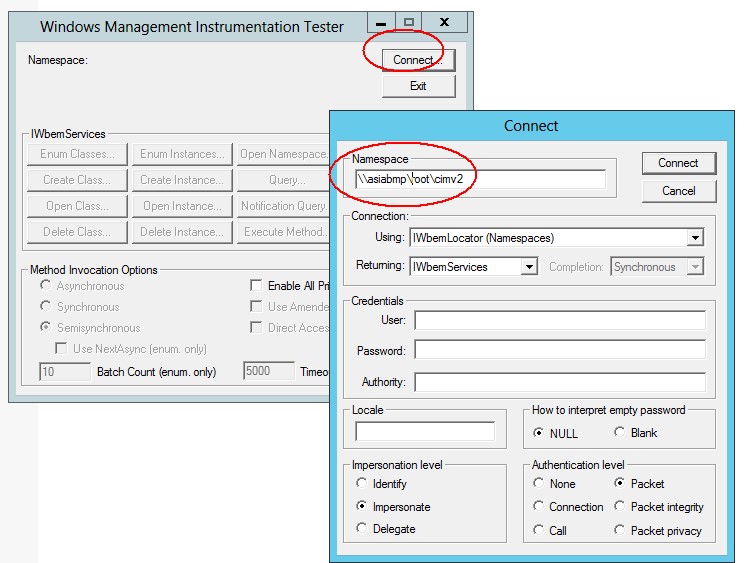
- 检查是否可以成功连接
1. 检查域控中以上服务是否已经正常启动:
COM+ Event System
Remote Access Auto Connection Manager
Remote Access Connection Manager
Remote Procedure Call (RPC)
Remote Procedure Call (RPC) Locator
Remote Registry
Server
Windows Management Instrumentation
Windows Management Instrumentation Driver Extensions
WMI Performance Adapter
Workstation
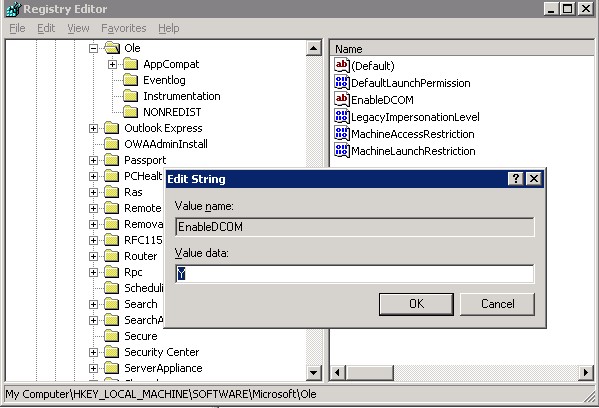
2. 在域控打开注册表编辑器,检查以下注册表项是否存在,如果没有请根据以下值增加:
Key: HKEY LOCAL MACHINE\Software\Microsoft\Ole
Name: EnableDCOM
Type: REG_SZ
Data: Y
3. 检查组件服务器的设置及权限
a.在域控服务器上Administrative Tools-》打开“Component Services” 或是从开始-》运行中输入comexp.msc”.
b.展开到 “Computer” 选项
c.选择 “My Computer” 对像并右键打开 “Properties” 对话框
d.切换到 “Default Properties” 选项卡
f.确定“Enable Distributed COM on this computer”已被选定
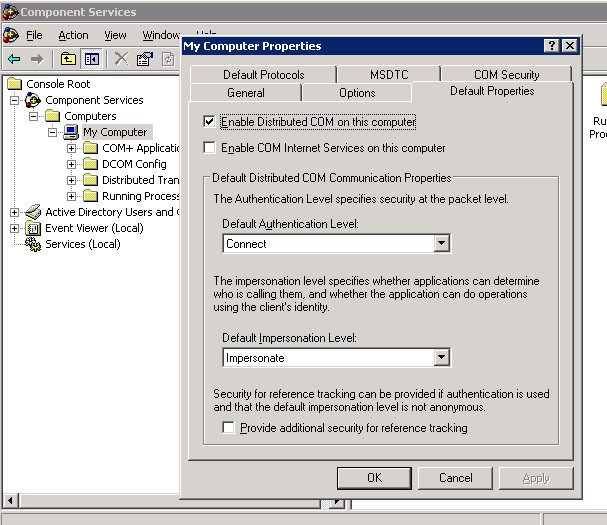
- 确定“Default Authentication Level” 选定为“Connect”以及 “Default Impersonation Level”选定为“Identify”
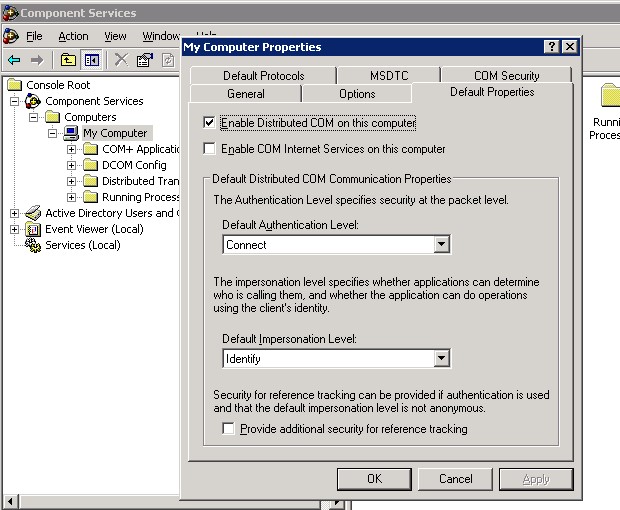
- 重启服务器
4. 检查Windows 2003域控中Remote Registry服务的配置,
启动类型: Automatic
服务状态: Started
登录方式: NT Authority\LocalService (In Log On tab of remote registry service)
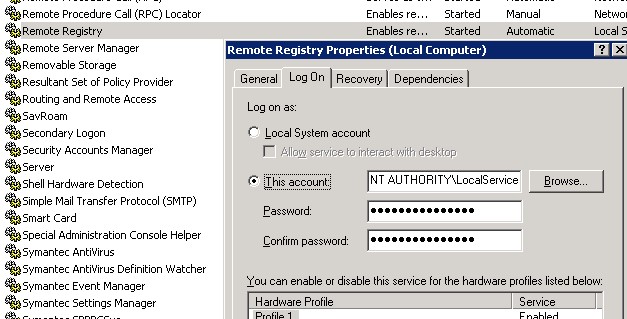
5. 配置Windows Managment Instrumentation (WMI).信息
- 执行以下命令,后重启服务器
secedit /configure /cfg %windir%\repair\secsetup.inf /db secsetup.sdb /verbose
- 把以下脚本保存为bat文件,并保存在C:\Windows\System32\Wbem目录下,并在cmd下运行
@echo off
sc config winmgmt start= disabled
net stop winmgmt /y
%systemdrive%
cd %windir%\system32\wbem
for /f %%s in ('dir /b *.dll') do regsvr32 /s %%s
wmiprvse /regserver
winmgmt /regserver
sc config winmgmt start= auto
net start winmgmt
for /f %%s in ('dir /s /b *.mof *.mfl') do mofcomp %%s
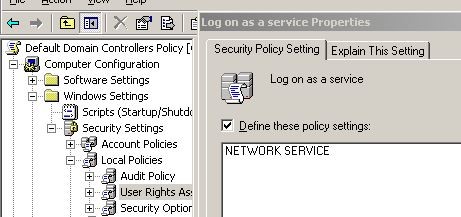
6. 检查组策略、本地安全策略中Log on as a service是否已曾加Network Service帐号
【参考资料】
===========================
http://support.microsoft.com/kb/2737560/en-us
http://kb.vmware.com/selfservice/microsites/search.do?language=en_US&cmd=displayKC&externalId=2013
http://technet.microsoft.com/zh-cn/library/cc782719(v=ws.10).aspx
http://mscheidler.blogspot.com/2013/03/promoting-windows-2012-server-into_18.html
历史评论
暂无保留的历史评论。
评论为旧站历史记录,本站不再接受新评论。