如何使用Powershell命令查看Exchange 2010数据库大小
1.查看现有Exchange 2010数据库大小
Get-MailboxDatabase -Status | select ServerName,Name,DatabaseSize
PS:Exchange 2007用下面的命令:
Get-MailboxDatabase | foreach-object {add-member -inputobject $_ -membertype noteproperty -name mailboxdbsizeinGB -value ([math]::Round(([int64](get-wmiobject cim_datafile -computername $_.server -filter ('name=''' + $_.edbfilepath.pathname.replace("\","\\") + '''')).filesize / 1GB),2)) -passthru} | Sort-Object mailboxdbsizeinGB -Descending | format-table identity,mailboxdbsizeinGB
效果如图: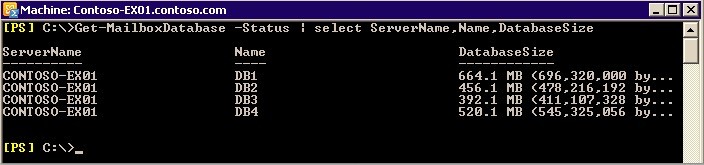
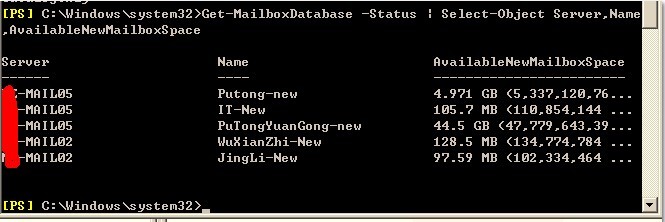
2.查看现有Exchange 2010数据库空余空间大小(可以使用Eseutil /d离线整理出来大小)
Get-MailboxDatabase -Status | Select-Object Server,Name,AvailableNewMailboxSpace
效果如图:
3.同时看到数据库大小及可用空白空间:
Get-MailboxDatabase -Status | ft name,databasesize,availablenewmailboxspace -auto
历史评论
暂无保留的历史评论。
评论为旧站历史记录,本站不再接受新评论。